



It's the end of the day, the watch is at 8%, and the easiest thing to do is clip it onto the charger and go to bed. But is that actually fine, or are you quietly wearing out the battery?
The short answer is that overnight charging is generally safe for a Garmin watch, as long as you use a good charger and set it up sensibly. Here is how it works, what to watch out for, and a few habits that keep the battery healthy.
The short answer
Yes, you can generally leave a Garmin watch charging overnight. Garmin's support center says its products are designed to stop charging once the battery is full, and a well-made charger adds a second layer of protection on top of that.
What matters most is not the length of time, but the quality of the charger, the temperature, and the condition of the contacts.
What happens when the battery reaches 100%
According to Garmin's support center, Garmin products are designed to stop charging once the battery is full, so the watch isn't kept charging past 100%. The charger also plays a part: SwanScout's Garmin chargers include over-voltage, over-current, over-temperature and foreign object protection, and they reduce power once the watch is full.
In practice that means a charger with these protections is built for exactly this situation: a device left connected for hours after it has finished charging.
Does overnight charging wear out the battery?
Any lithium-ion battery wears slowly over time, and two things speed that up: heat, and spending long periods at a very high or very low charge. Charging overnight doesn't damage the battery in a way most people will notice, but it does mean the watch sits at 100% for several hours.
If you want to be gentle on the battery, a few simple habits help:
- Keep the watch cool. Heat is the biggest factor. Don't charge it in direct sun, on a heater, or under bedding.
- Avoid letting it hit 0% regularly. Topping up before it gets very low is easier on the battery than running it flat.
- Charge in the daytime when it's convenient. A top-up while you shower or work at your desk often does the job, with no need to leave it overnight.
These are general lithium-ion habits, not Garmin-specific rules, and none of them are essential. Garmin's support center also says its lithium-ion batteries don't need to be fully discharged before recharging, and that charging after a partial discharge doesn't affect battery performance. They are small things that add up over the years.
The sleep tracking problem
For many Garmin owners, the real conflict isn't safety. It's sleep tracking. If you wear the watch to bed to track your sleep, it can't also be on the charger. Garmin's support center notes that watches with an optical heart rate sensor can't record heart rate while charging.
If that's you, move the charge to another part of the day:
- Charge while you get ready in the morning or while you're at your desk.
- Charge during a regular activity, like cooking dinner or watching TV.
- Keep a spare charger at your desk or in your bag so a top-up is never inconvenient.
How quickly a watch charges depends on the model, but a short charge during the day usually adds a useful amount.
How to charge overnight safely
If you do charge overnight, follow these steps:
- Use a quality charger. Look for over-voltage, over-current, over-temperature and foreign object protection, not just a cheap cable.
- Use a reliable power adapter. A proper wall adapter is better than an unknown or damaged one. For a 3-in-1 station that charges a watch, phone and earbuds together, we recommend an 18W or higher PD adapter.
- Put it on a hard, flat surface. A nightstand or desk is fine. Don't charge on a bed, under a pillow or under a blanket, where heat can't escape.
- Keep the contacts clean and dry. Dry the watch after a swim or workout before connecting it, and wipe the contacts every few weeks. We cover this in Garmin Watch Not Charging? 7 Fixes That Actually Work.
- Remove anything covering the contacts. A case or film that blocks the contacts can stop charging or cause it to start and stop.
When you shouldn't charge it
Stop charging and don't continue if:
- The watch or the charger feels unusually hot.
- The watch looks swollen or the case is bulging.
- The cable, connector or contacts look damaged or burned.
- The watch is wet. Dry it thoroughly first.
If you see any of these signs, unplug it and contact Garmin support or your retailer.
Charging a watch, phone and earbuds together
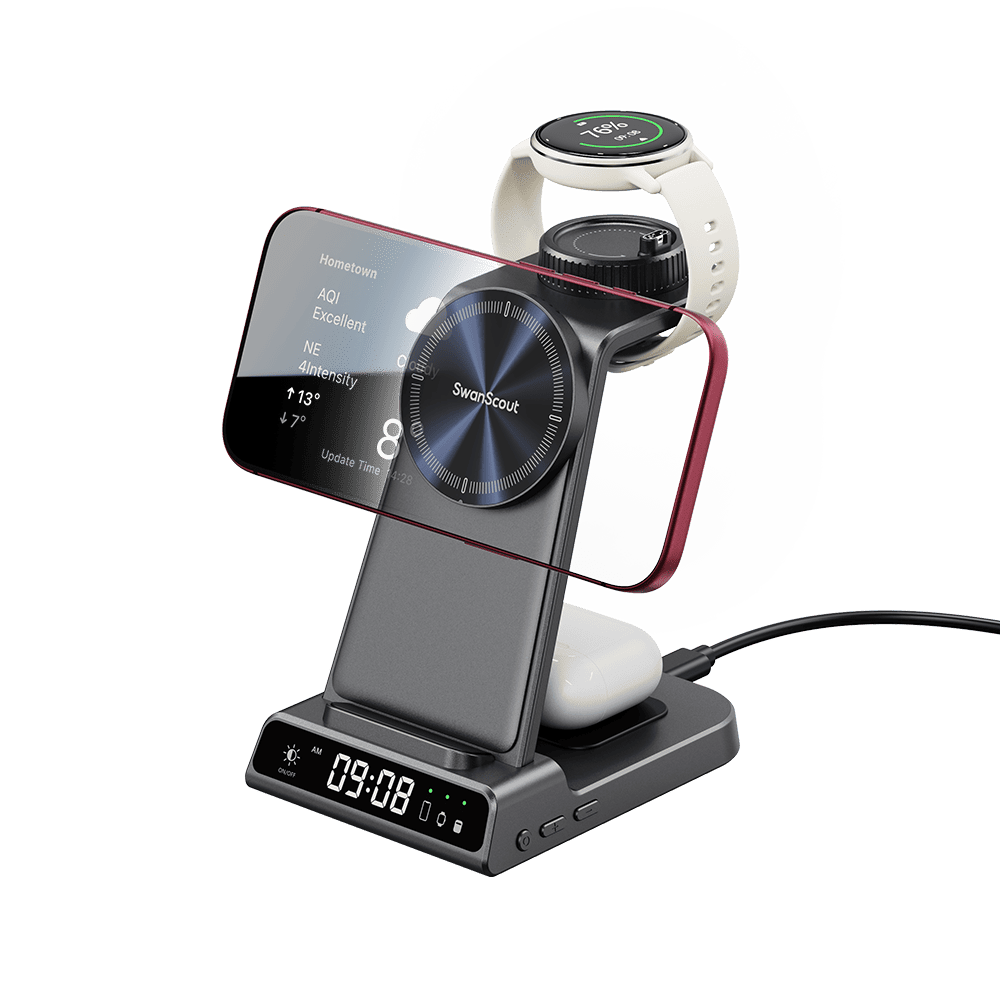
If you charge several devices overnight, a 3-in-1 station keeps everything in one place and uses a single power adapter. SwanScout's 712GM and C02GM use magnetic charging for MagSafe-compatible iPhones, and the C01GM uses standard Qi wireless charging for a wider range of phones. All of them charge a Garmin watch through pin contacts and include the safety protections mentioned above.
We compare all five chargers in Can't Find a Garmin Watch Charger? This One Also Charges Your iPhone.
FAQ
Will leaving my Garmin on the charger overnight damage the battery?
Not in a way most people will notice. Lithium-ion batteries wear slowly with time, and heat and long periods at 100% speed it up a little. Keeping the watch cool and using a charger with proper protections keeps the effect small.
Does charging stop when the watch reaches 100%?
Garmin's support center says its products are designed to stop charging once the battery is full, and SwanScout's Garmin chargers also reduce power at that point.
Is it safe to charge my Garmin on the nightstand?
Yes, on a hard, flat surface with some airflow. Avoid charging on a bed or under a pillow or blanket.
Can I charge my Garmin while I sleep and still use sleep tracking?
No. Sleep tracking needs the watch on your wrist, and Garmin notes that watches with an optical heart rate sensor can't record heart rate while charging, so charge it at another time of day.
Is a cheap charger safe to leave on overnight?
It depends on the charger. Look for over-voltage, over-current, over-temperature and foreign object protection, and avoid chargers with no safety information at all.
How do I know my Garmin is charging correctly?
You should see a charging indicator on the screen within a few seconds of connecting it. If it appears and disappears, or doesn't appear at all, see our guide to fixing a Garmin that won't charge.
Find a charger built for overnight use
Browse the SwanScout Garmin charger collection to find a charger with the safety protections you want for charging overnight, from a keychain-size travel charger to a 3-in-1 nightstand station.


Leave a comment
This site is protected by hCaptcha and the hCaptcha Privacy Policy and Terms of Service apply.